
Run the campus. Keep the record.
Folio is one platform for teaching, registration and student records, on your institution’s own address and in its colors. Every submission arrives with a record of how it was written instead of a detector’s guess, in English, Arabic or Hebrew.
Northwind University, the demo campus. Every person and every grade on it is invented.
- Your subdomain, colors, logo and crest
- English, Arabic and Hebrew, right to left included
- Launches from the learning platform you run today, over LTI 1.3
- Accounts and rosters over SCIM 2.0 and OneRoster 1.1
Everything a campus runs on, under one roof.
A directory of what is in Folio today. Each line is a working part of the product, and every one of them is open to explore on the demo campus.
- 01
Teaching
Everything a course needs, from the first module to the final grade.
- Courses, modules and lessons
- Scheduled release and hidden modules
- Assignments, including group assignments
- Quizzes with shuffled questions and options
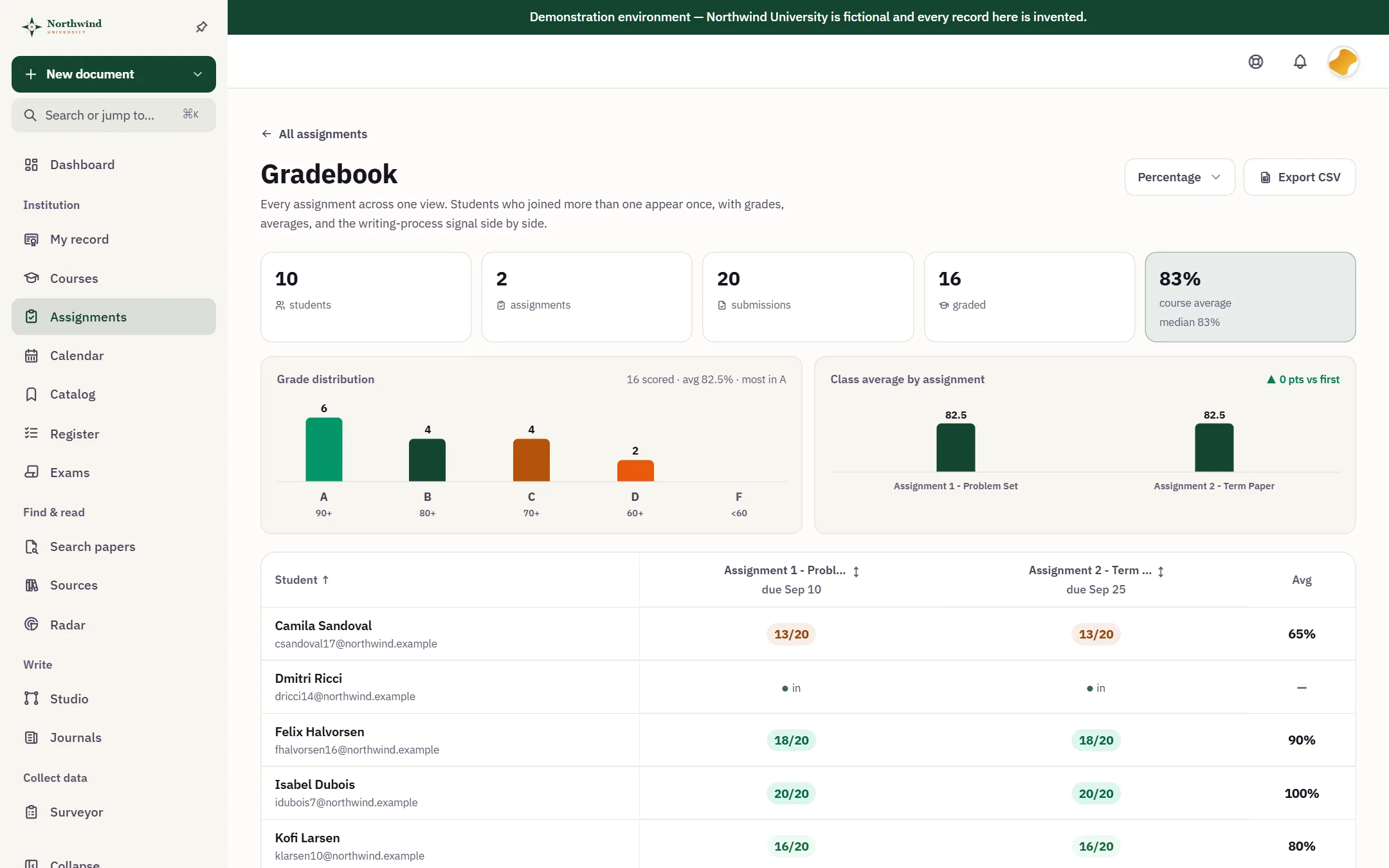
- A weighted gradebook with publishing controls
- Rubric criteria with a score for each
- Peer review
- Discussions and announcements
- Attendance with check-in
- Live sessions and office hours in the browser
- Syllabus versions that students acknowledge
- Course insights
- 02
Integrity
Proof of how the work was made, not a guess about who made it.
- Authorship certificates anyone can verify
- References checked against Crossref and OpenAlex
- Retracted sources flagged
- An AI policy on every assignment
- Authorship and integrity reports
- Class reports for the whole roster
- An academic integrity case register
- 03
Registrar
The record of every student, from admission to transcript.
- Programs with catalog versions
- Course registration by fair allocation, with waitlists
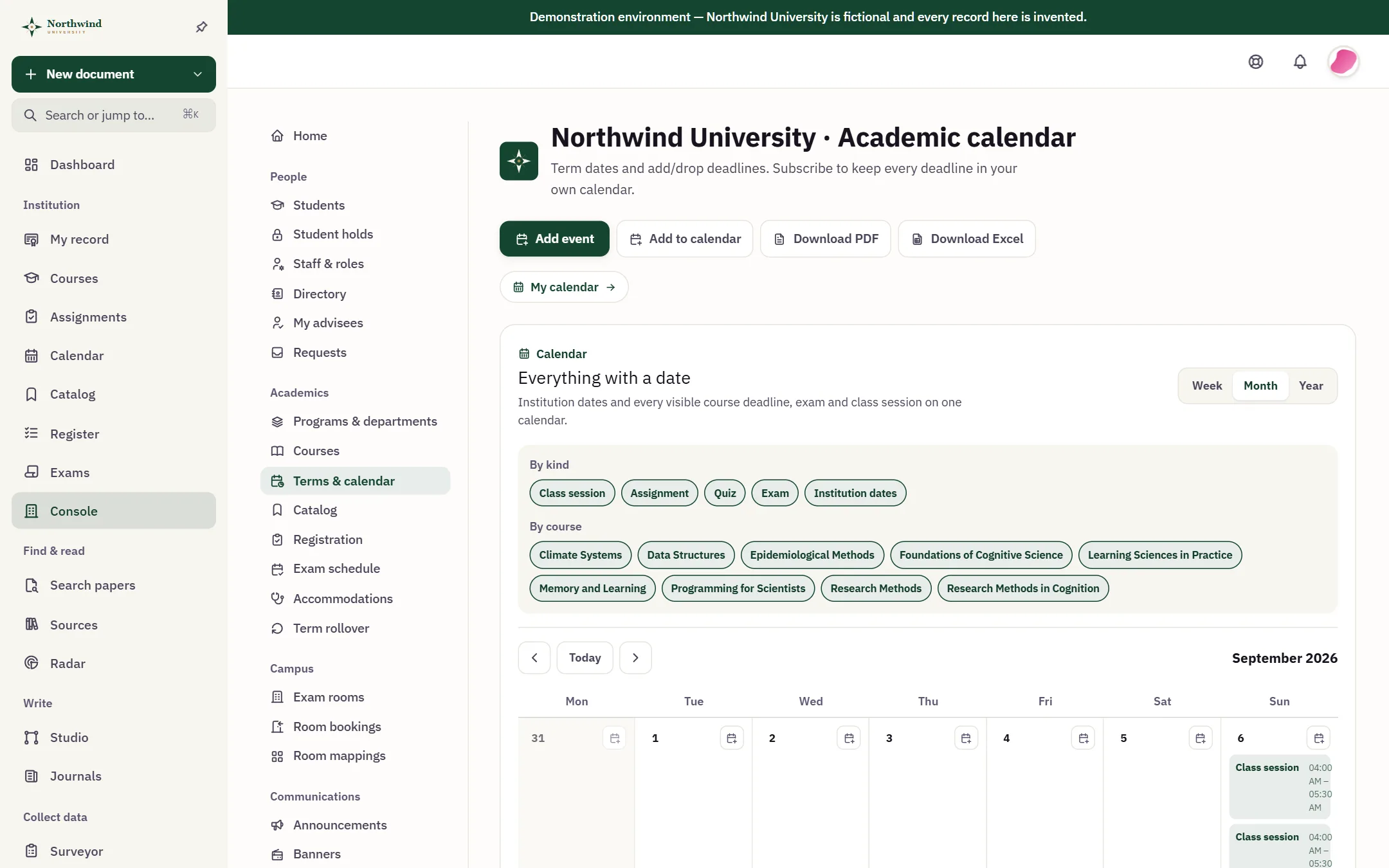
- Academic calendar and terms
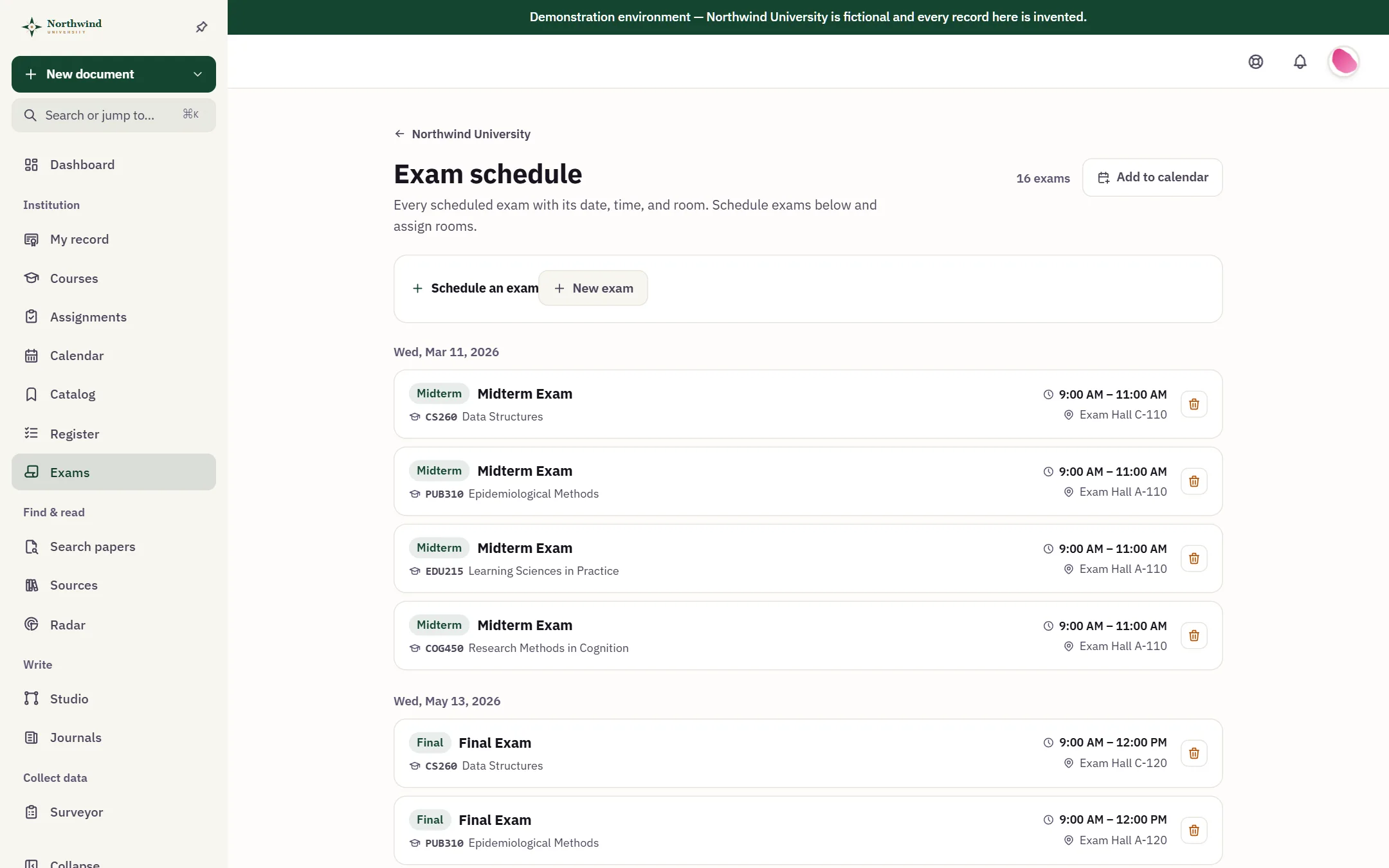
- Exam schedule, rooms and supervising staff
- An exam accommodations register
- Student records and verifiable transcripts
- Holds, requests and grade appeals
- Term rollover
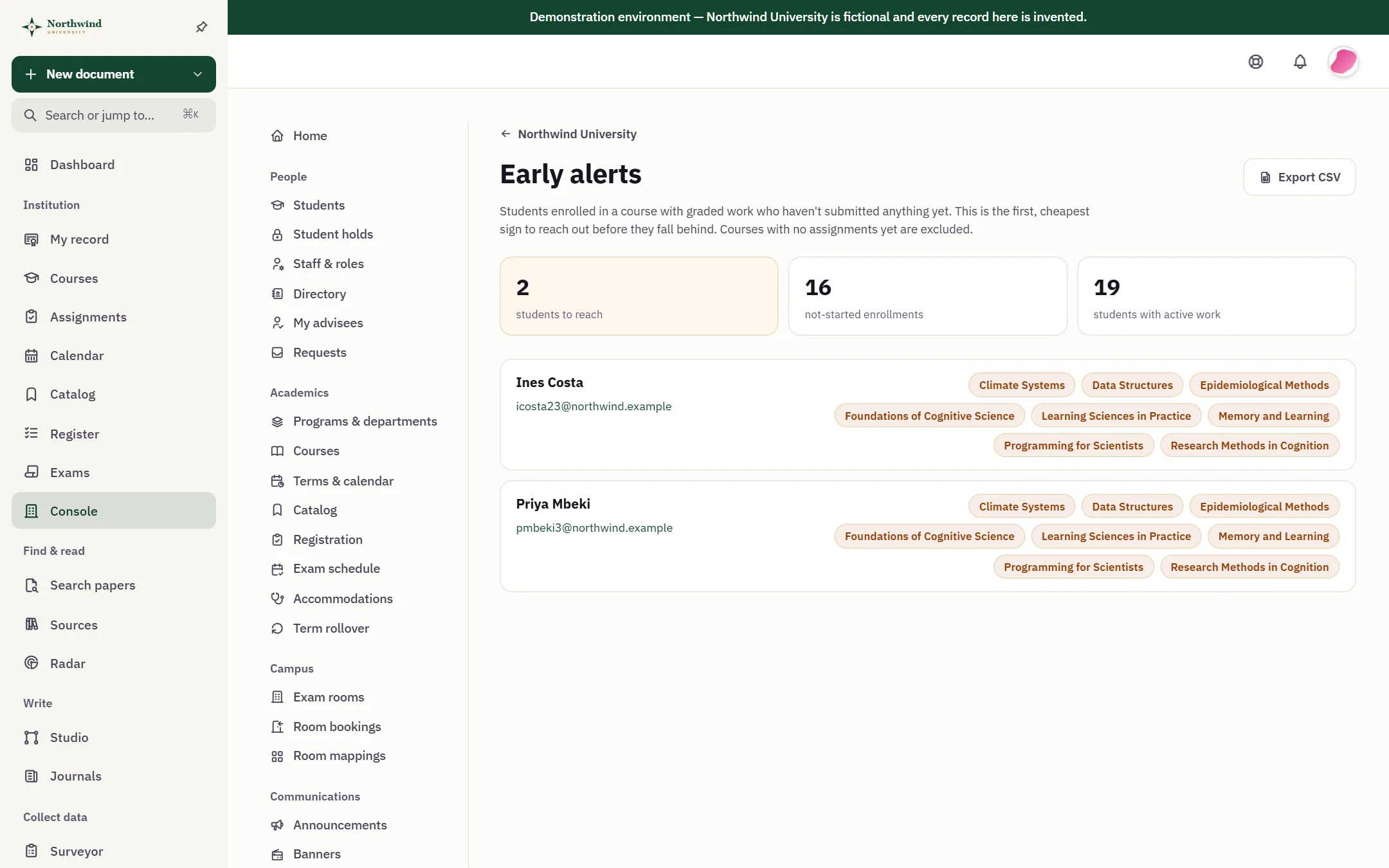
- Early alerts for students who have gone quiet
- 04
Research
The Folio research workspace, for every student and instructor.
- Search across twelve scholarly sources
- A personal source library
- Citations in 7 styles
- Surveys with validated scales
- Figures and diagrams in Studio
- The reference checker
- 05
Administration
The console the people who run the institution work in.
- Staff roles and scoped admin power
- Directory and advisees
- Announcements and campus banners
- Reports and CSV exports
- An audit log with email digests
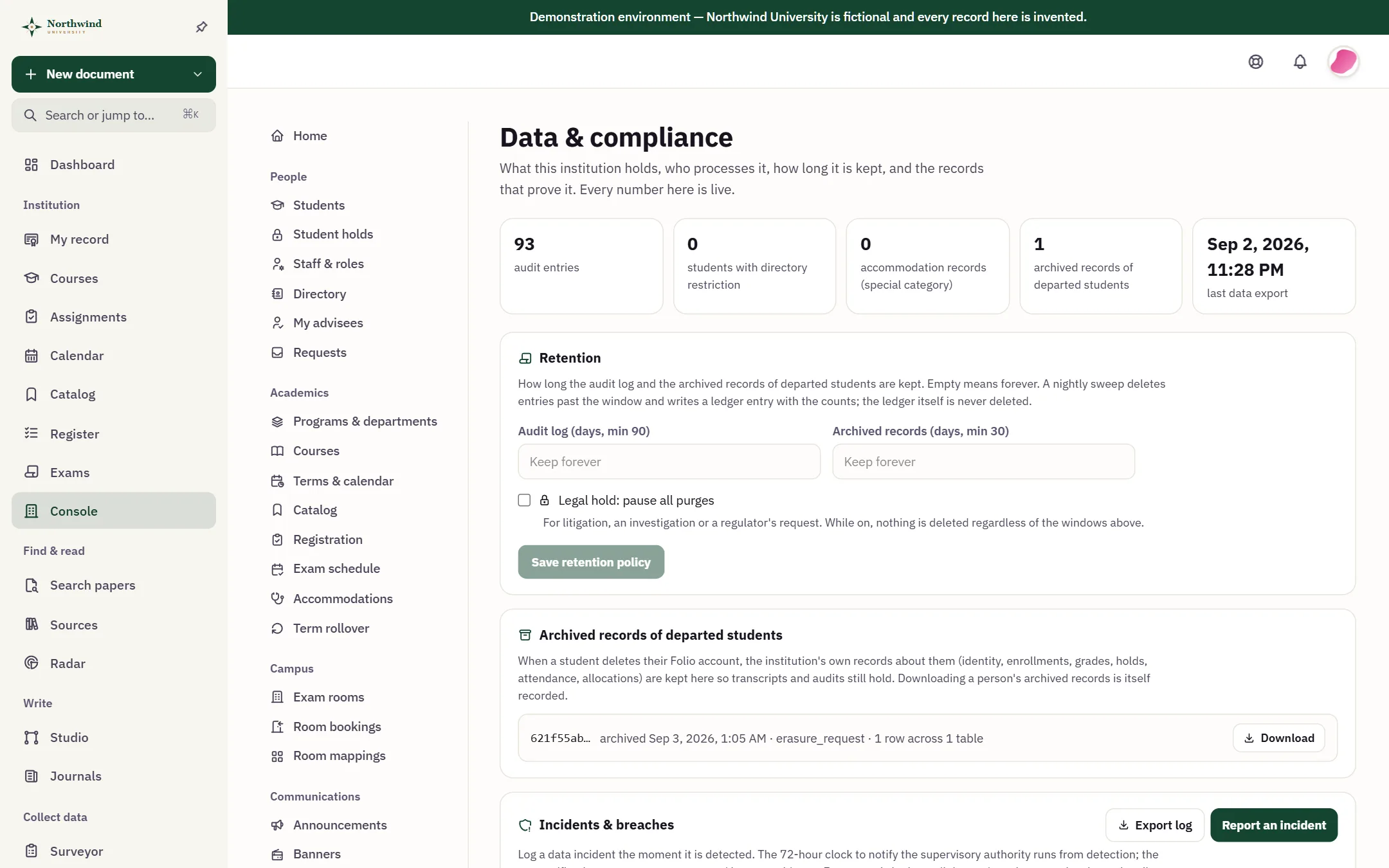
- Retention rules, legal hold and a record of processing
- Student data export and erasure
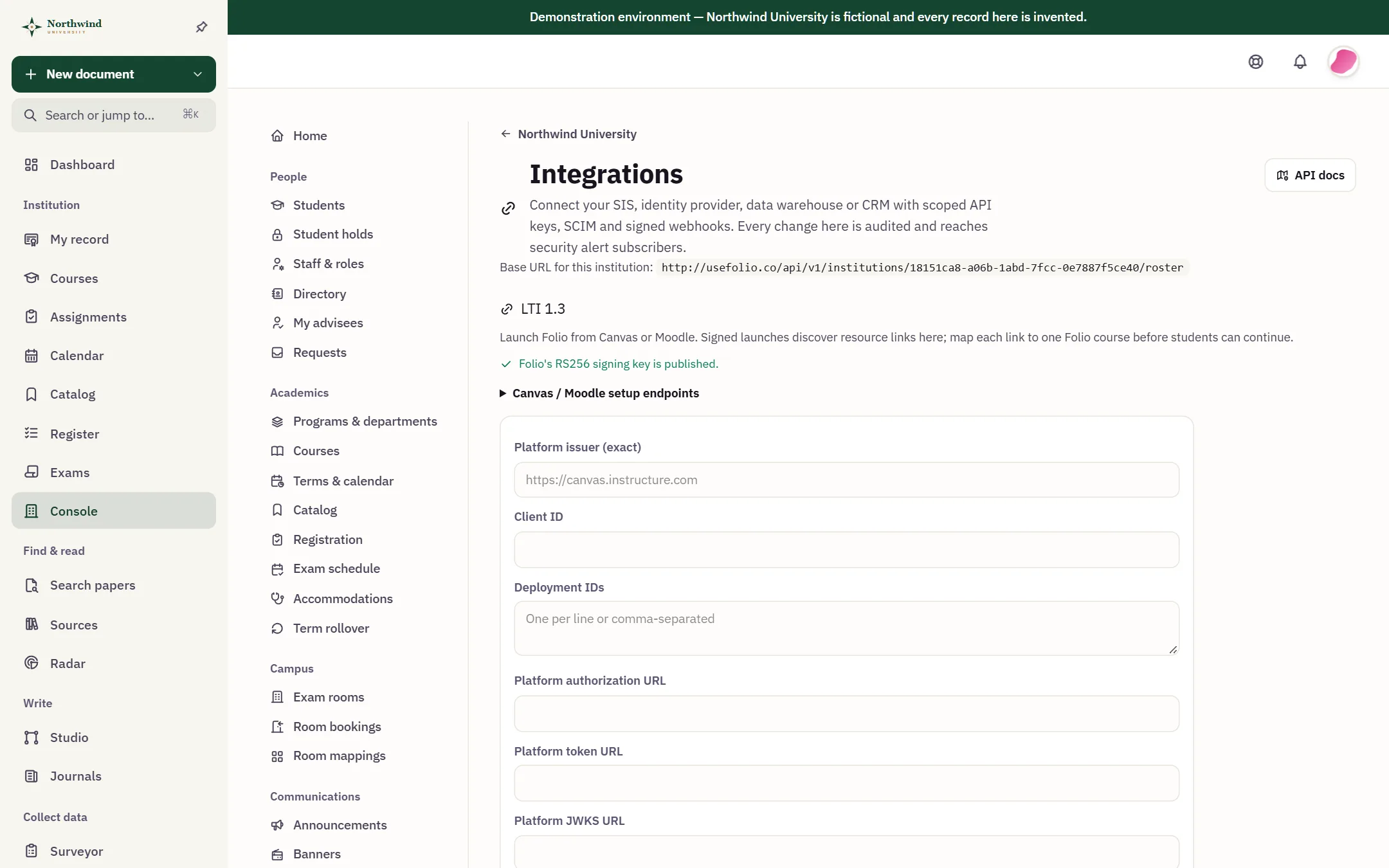
- Signed webhooks and a read API
- 06
Platform
Your name on the door, and the standards your IT team runs.
- Your subdomain, colors, logo and crest
- A default language, with a personal override
- Feature switches for each person
- Single sign-on over OpenID Connect or SAML 2.0
- SCIM 2.0 provisioning
- OneRoster 1.1 roster import
- LTI 1.3 launch and deep linking
- Session and network rules for staff
- Support view-as, read-only and logged
A course, from the syllabus to the final grade.
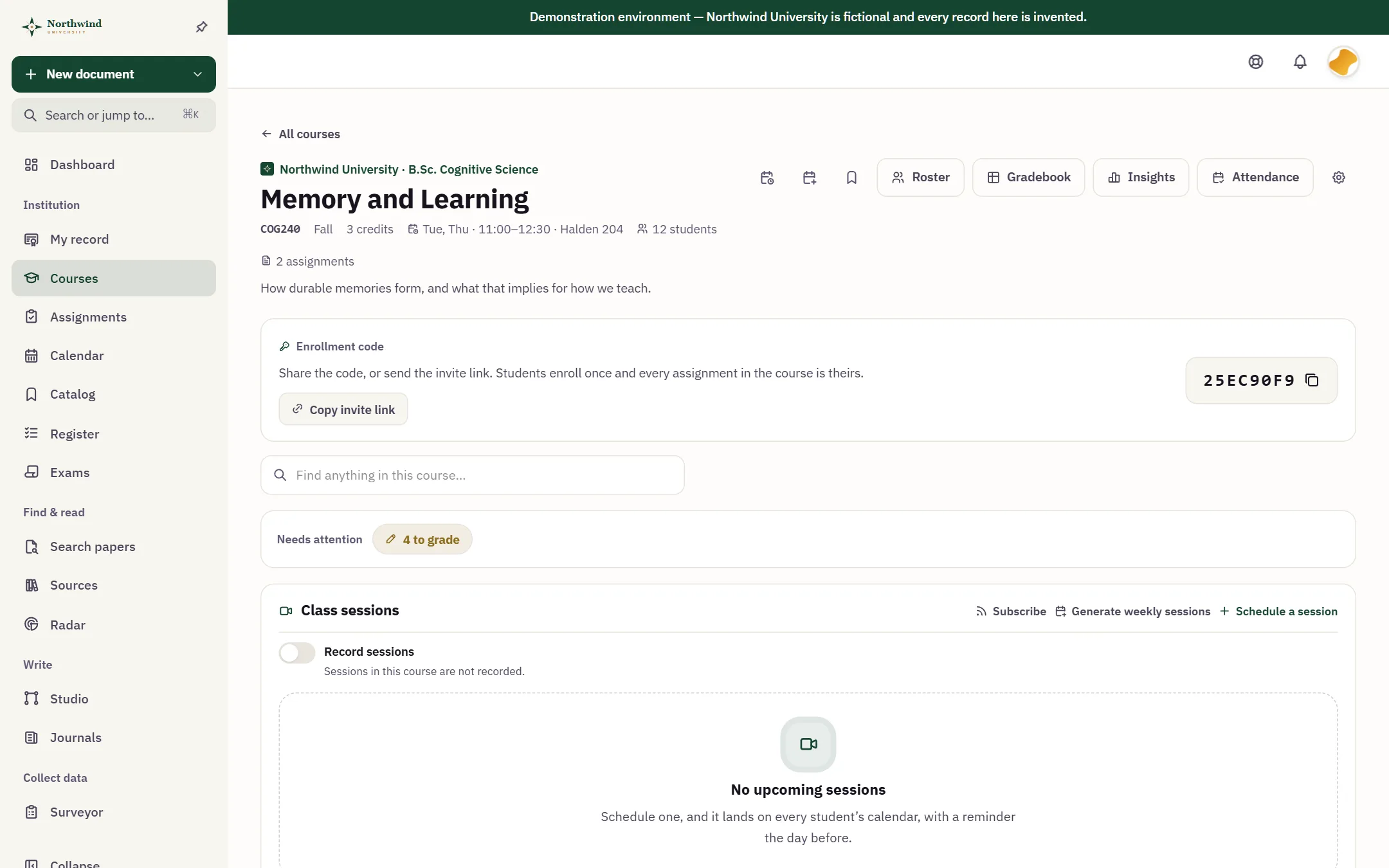
Instructors build modules and lessons, set release dates, run quizzes and discussions, take attendance and grade in a weighted gradebook that publishes when they decide. Students join with one code and find every deadline on one calendar.
- Assignments that carry their own proofStudents write in Folio and submit with a certificate of how the work was made.
- Grades on your scheduleHold them, publish them now, or publish them on a date.
- Class without another toolLive sessions, office hours and attendance run in the browser.

A detector guesses. A record shows.
Detection software returns a probability about a student, which an honest student cannot appeal and an integrity officer cannot defend. Folio keeps a record instead: how the document was built across its saved revisions, what was pasted in, what assistance was used and disclosed, which references resolved against Crossref and OpenAlex, and which were retracted. Each part is a count or a date a reader can check, not a score about the student. The record travels with the submission as a certificate anyone can check.
Folio does not log keystrokes, does not build behavioral profiles of students, and does not monitor a student while they sit an exam. It keeps a provable record of how the work was made.

Registration by fair allocation, not a scramble.
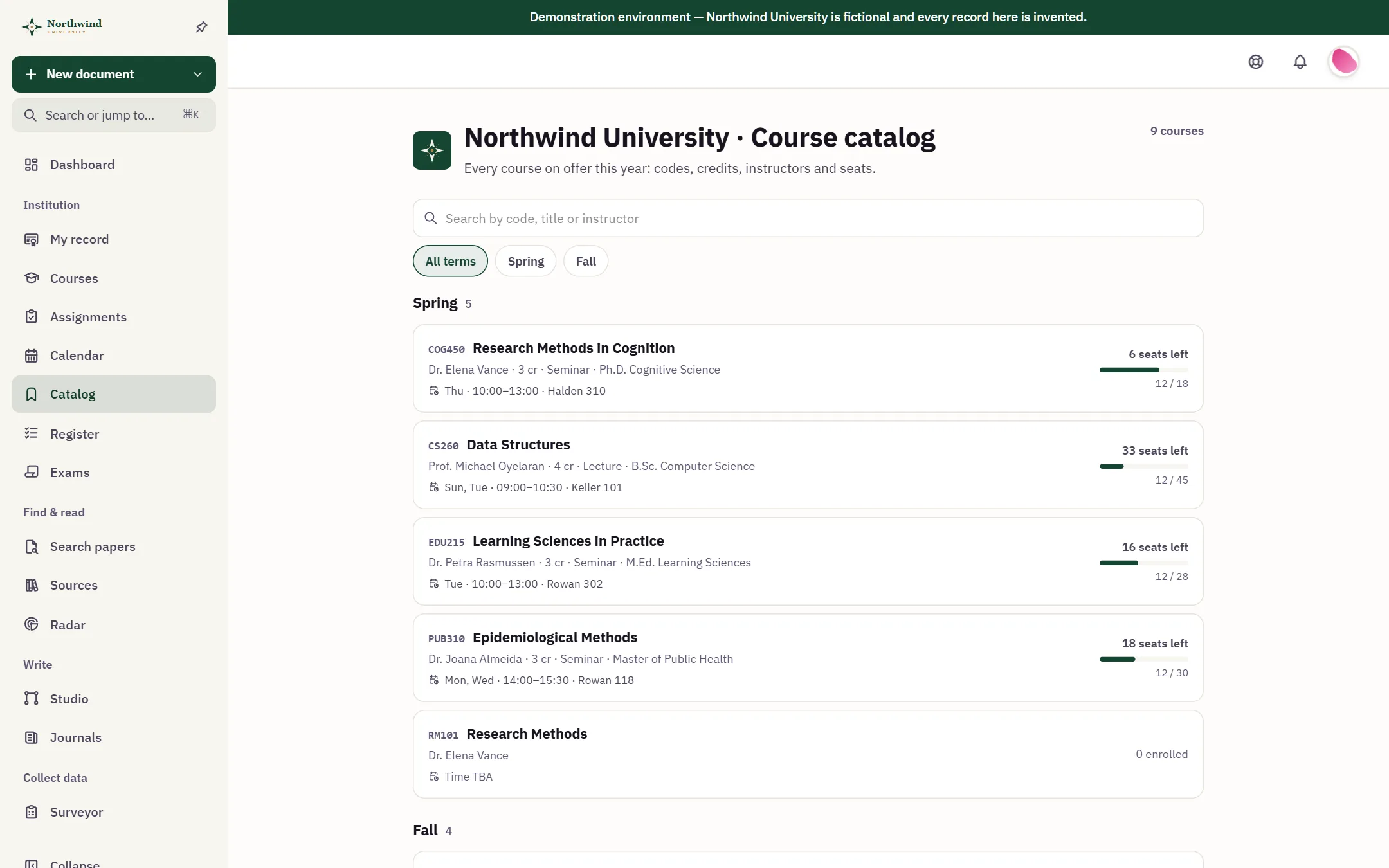
Students rank the courses they want. When the round closes, Folio allocates seats by an explainable priority, keeps waitlists and fills freed seats on its own, without double-booking anyone’s week. The catalog shows seats left, the exam schedule assigns rooms and supervising staff, and every record ends in a transcript that can be verified.
Arabic and Hebrew, right to left.
The interface ships in English, Arabic and Hebrew. Layouts mirror for right-to-left readers, the institution sets its default language, and each person can choose their own. Below are the same catalog and exam schedule, in Arabic and in Hebrew.
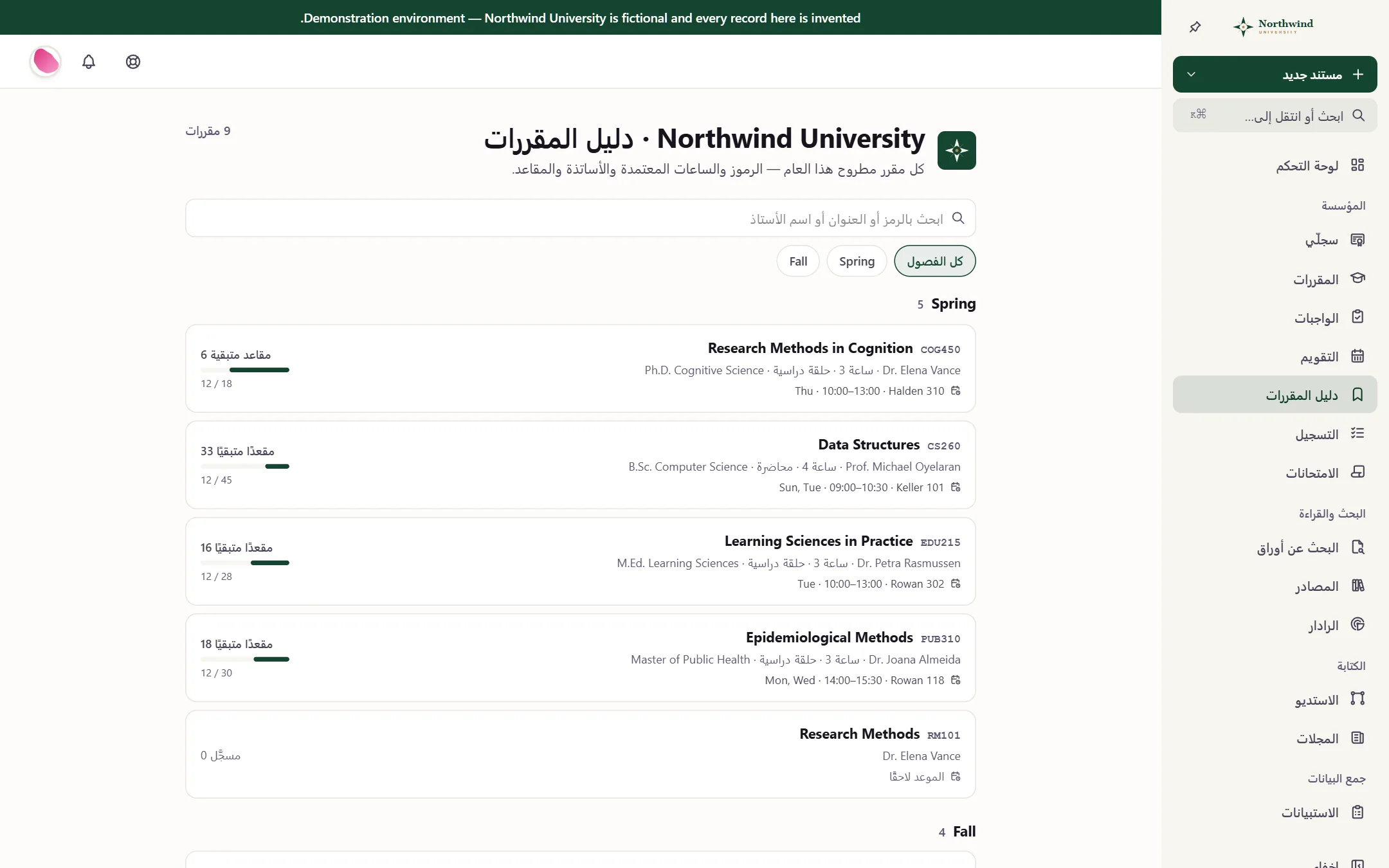
Arabic: the course catalog
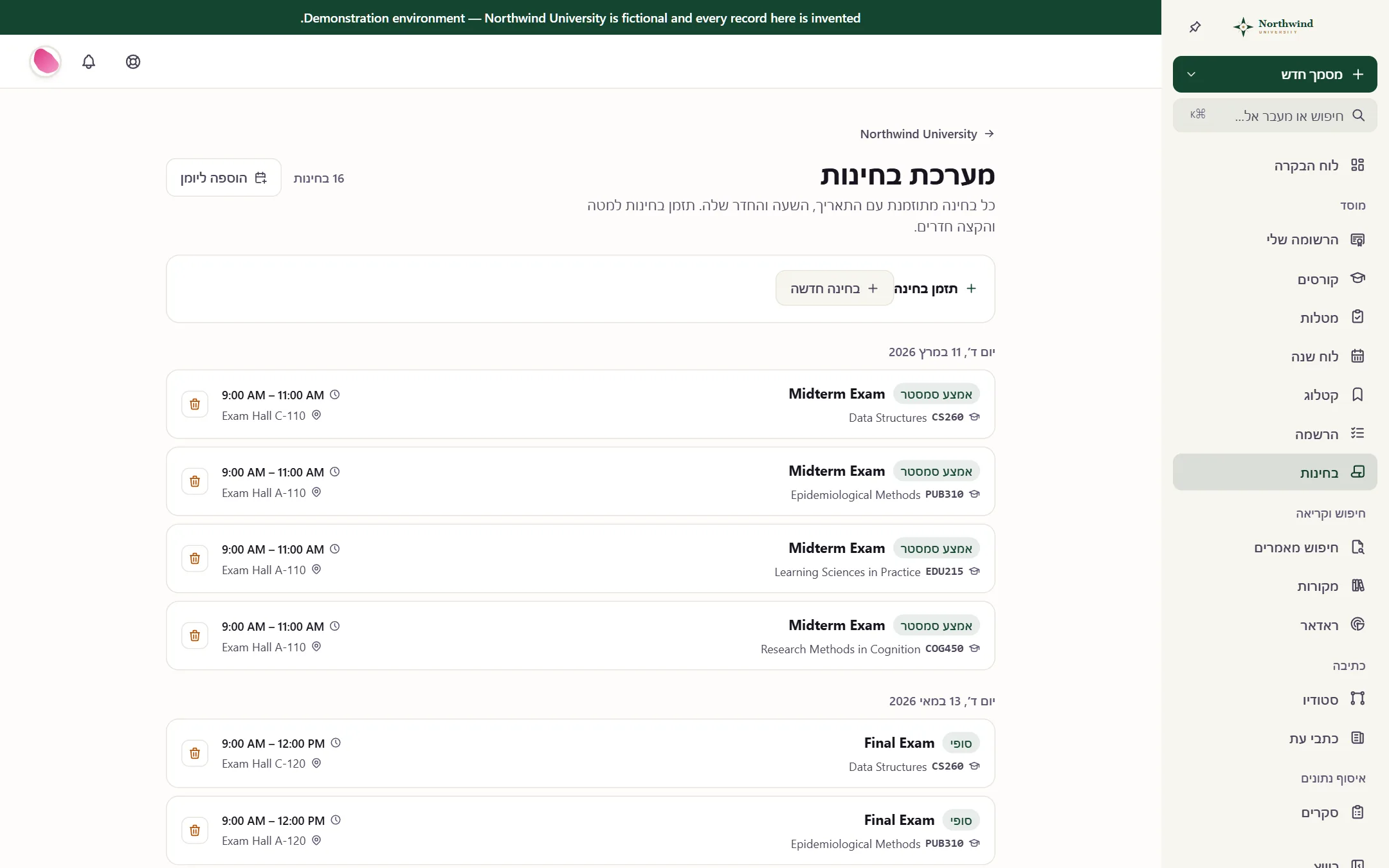
Hebrew: the exam schedule
Your name on the door.
Every vendor in this category says white-label. Type your institution’s color here and Folio shows what it does with it, in light and dark, with the measured contrast printed. Logo, crest, favicon and login page follow, on your own subdomain.
Coursework
Two submissions are waiting on your review.
Coursework
Two submissions are waiting on your review.
Raw, your color reads 1.21:1 on the dark page, under the 3:1 minimum for a UI mark. Folio lifts it to #506278 by measurement, the smallest step that clears the bar, so the mark stays recognizably yours.
Runs entirely in this page, on the same functions that generate a live tenant stylesheet. Text on a fill is checked against #ffffff white, exactly as the save-time validator does.
The institution sees its part. Students keep the rest.
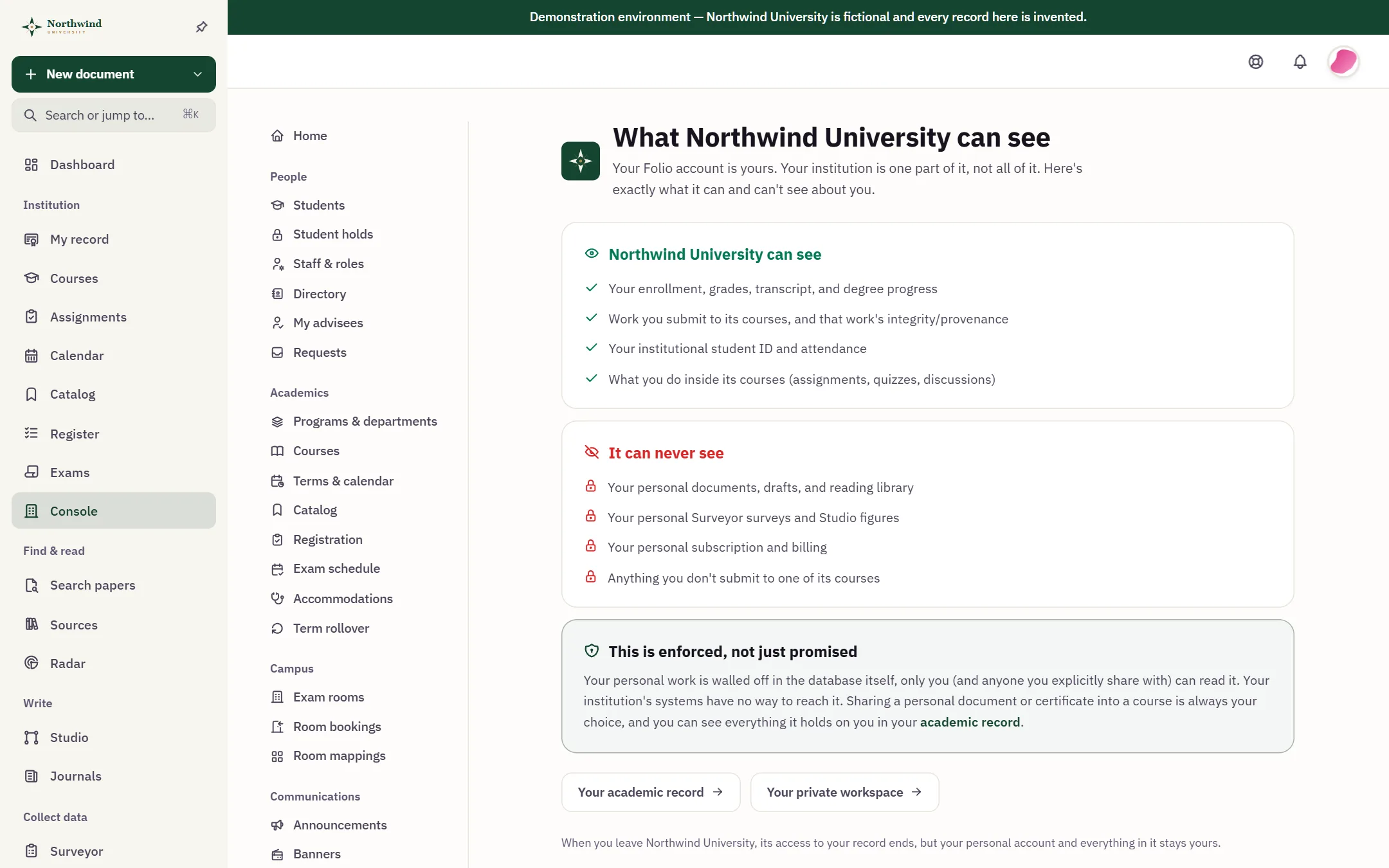
A Folio account belongs to the person who holds it. Their institution sees enrollment, grades, the transcript and the work submitted to its courses. It never sees personal drafts, reading libraries, private surveys and figures, or billing. The line is drawn by row-level security in the database, not by a setting.

Built for the people who sign off.
Procurement asks the same questions every time. The answers are in the product, and each one names the standard it implements, so it can be checked rather than believed.
Single sign-on OpenID Connect · SAML 2.0
Configured per institution, so your identity provider stays the source of truth.
Provisioning SCIM 2.0
Users and groups follow your identity provider, so joiners and leavers are handled where they already are.
Rosters OneRoster 1.1
Rosters import from your student information system, and final grades export for it.
Your current platform LTI 1.3
Launch Folio and link its activities from the learning platform you run today, with a published key set.
Audit trail Per institution
A searchable log of who changed what and when, with scheduled email digests.
Records and retention GDPR tooling
Retention periods, legal hold, a record of processing and per-student export and erasure.
Staff access Policy controls
Session limits, network rules and idle timeouts for staff, and support view-as that is read-only, time-limited and logged.
Isolation Row-level security
Each institution’s data is separated in the database itself. Students’ work is never used to train AI models.
A real campus you can open right now.
Northwind University is a Folio campus on its own subdomain, running in production with its own colors and crest and a full term of courses, exams and records. Take a seat and look around, or read its public pages without signing in.
Start with one department.
Nothing to install and nothing to migrate on the first day. A campus can see Folio working, run it with one department for a term, and grow from there.
- 1
Walk the demo campus
Open Northwind University as an administrator, a registrar, an instructor or a student, with someone who can answer the hard questions.
- 2
Pilot one department
A subdomain of your own for one department or program, running real courses for a term.
- 3
Connect identity and rosters
Single sign-on, SCIM provisioning, OneRoster imports and an LTI launch from the platform you already run.
- 4
Grow at a term boundary
Term rollover carries courses into the next term, and your records export whenever you ask.
Priced for the shape of your institution.
Standalone programs have a public price. Schools, districts and universities are quoted per institution, with no per-seat arithmetic, and a single department can start with a pilot.
Standalone and extracurricular
Tutoring centers, academies, bootcamps and test-prep programs.
From $79/mo
billed annually, or $99 billed monthly
K–12 school and district
Individual schools, school groups and districts.
Custom
quoted per institution
Higher education
Universities, colleges and single faculties.
Custom
quoted per institution
Single department or pilot
One department first, before the whole campus.
Pilot
a scoped subdomain to evaluate
The questions procurement asks.
Can Folio run alongside the learning platform we already use?
Yes. Folio launches from any LTI 1.3 platform, with deep linking to its activities, and imports rosters over OneRoster 1.1. A department can start there and move its courses over later.
Does Folio use AI detection?
No. Folio records how the work was made instead of guessing who made it. A certificate shows the sources, the revisions, what was pasted and the assistance that was disclosed, and anyone can verify it.
Is student work used to train AI?
No. Folio does not sell institutional data and does not train models on students’ work.
Where is the data hosted?
Each institution’s data is isolated with row-level security in the database. Regional data residency is not available yet; EU hosting is planned. The security overview describes what is in place today.
Which languages does the interface support?
English, Arabic and Hebrew, with right-to-left layouts. The institution sets a default and each person can choose their own.
Can we take our records with us?
Yes. Administrators can export the institution’s records as JSON and CSV at any time, and each student can export their own data.
How does single sign-on work?
Single sign-on is configured per institution over OpenID Connect or SAML 2.0, and SCIM 2.0 keeps accounts in step with your identity provider.
What does it take to start?
A walk through the demo campus, then a pilot subdomain for one department. Standalone programs can also set themselves up online.